See today's numbers, not last month's.
2D Canada builds Power BI dashboards connected to Excel and your accounting and operating systems. Leaders get one trusted view of the business that refreshes on its own, instead of a pack of spreadsheets that is out of date the day it is sent.
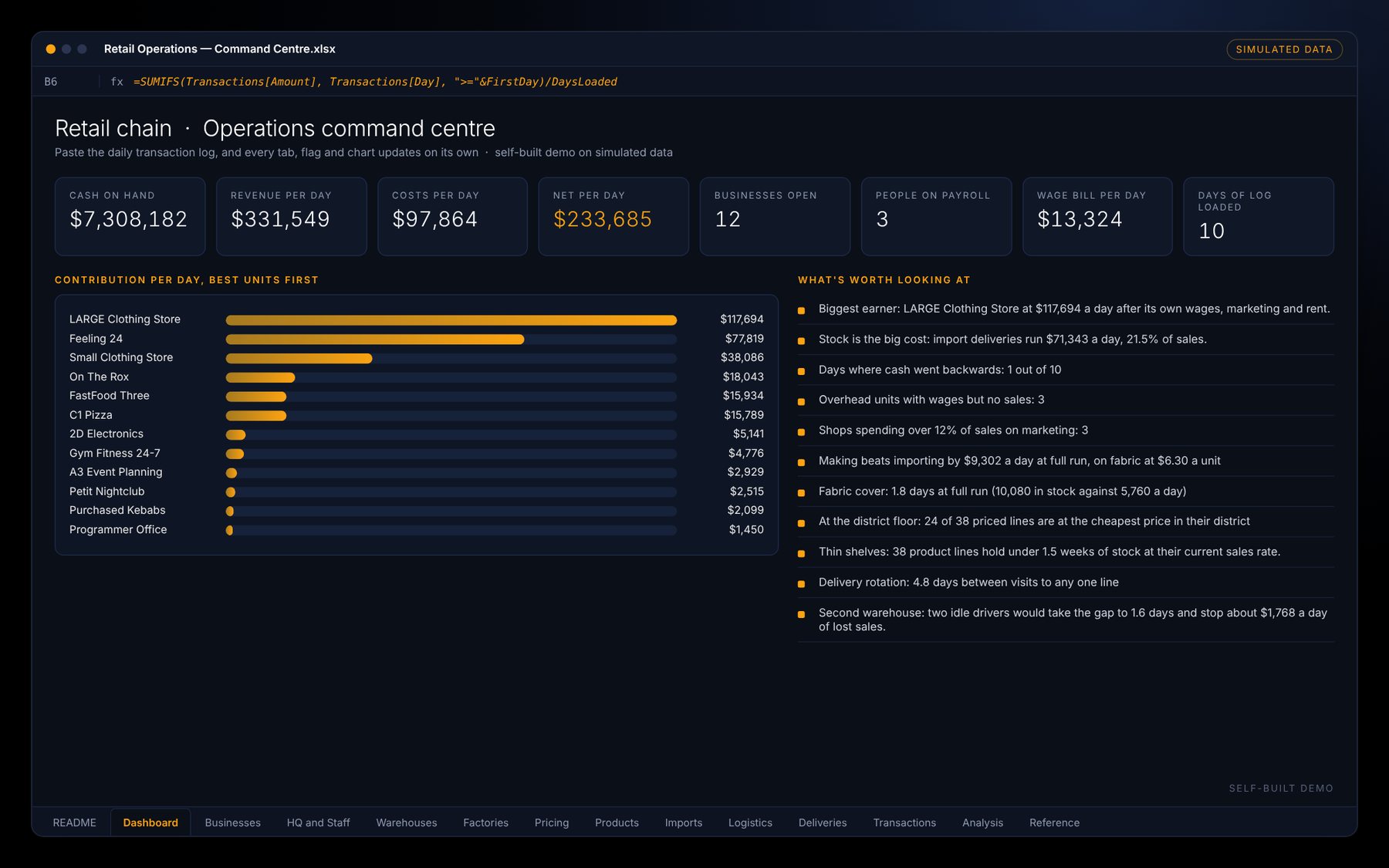
What 2D Canada builds
- Financial dashboards: revenue, margins, costs, cash and budget against actual
- Operations dashboards: sales by location, stock, deliveries and other daily measures
- Connections to Excel, your accounting system and other data sources
- Data models that are tidy, documented and quick to refresh
- Security so each person only sees what they should
- Training so your team can update and extend the reports
A good fit if…
Reports take days to put together
And are out of date by the time they are read.
Managers ask the same questions
"How are we doing this month?" should be one click away.
Data lives in many places
Accounting, sales, payroll and spreadsheets that never meet.
Three steps, each one paying off before the next.
Decide
Agree on the handful of numbers that matter most to the people who will use them.
Connect
Link the data sources and build a clean model behind the scenes.
Design
Build clear, simple pages and train your team to use and update them.
Common questions
Do we need a Power BI licence?
Power BI is part of the Microsoft family. Depending on how reports are shared, you may need a Power BI Pro licence for the people who view them. 2D Canada will tell you what you need before any build starts.
Can it connect to our accounting system?
Most accounting and ERP systems can export or connect to Power BI, directly or through Excel. This is checked at the start.
Excel or Power BI: which do we need?
Often both. Excel is great for models and inputs. Power BI is better for sharing live, interactive reports with many people.
Can you improve dashboards we already have?
Yes. Existing reports can be cleaned up, sped up and made easier to read.
Let's find your first step.
Tell 2D Canada what is slowing your finance team down. You'll get a straight answer on where to start.